Stop scrolling.
Start meeting up.

Turn a casual idea into a plan. Choose your people, send a flare, and see who’s in.

Already have Flare? Open this invite in the app After installing, sign in, return to the original message, and tap the same invite again.

Hangout

Sunset Patio at The Well

Holding a long table before the evening rush. Drop by for one drink.

By Alex Parker

In 46m 4.6 km 3/8
Free on iPhone · iOS 18+ You choose who sees it Leaves discovery after 2h

More time together.

Make a plan, choose your people, and get back to the things that happen away from a screen.

No ads. We don't sell your attention.
Real plans. A place, a time, and a reason to get together.
Less back-and-forth. The details and the conversation, together.
People you choose. Share with friends, a group, or people nearby.

Free to use. Made for meeting up.

Plans, made simple.

Choose a place and time. Invite your people. Keep the details in one place.

Start with an idea

Add a place, a time, and an activity. Include a photo or set an RSVP cap if you like.

Choose your people

Invite close friends or a group, or make your flare public for people nearby.

Find something nearby

Explore public flares on the map. Filter by activity, distance, and time.

See who’s coming

Track RSVPs and share updates in the comments. Everyone has the details in one place.

Whatever the plan.

Coffee, a walk, a game, or a quiet catch-up. Choose an activity that fits.

🎉
PartyDrinks, music, late nights
💬
HangoutCoffee, chill, catch-ups
🏃
ActiveWalks, runs, hikes
🍕
FoodLunch, dinner, late bites
⚽
SportsPick-up games, courts
📚
StudyLibrary, group sessions
🆘
HelpNeed a hand, a ride, an ear
✨
OtherIf it doesn't fit a label

From an idea to a plan.

A few simple steps, from the first idea to knowing who’s in. Explore the published app previews below.

  1. Create the plan

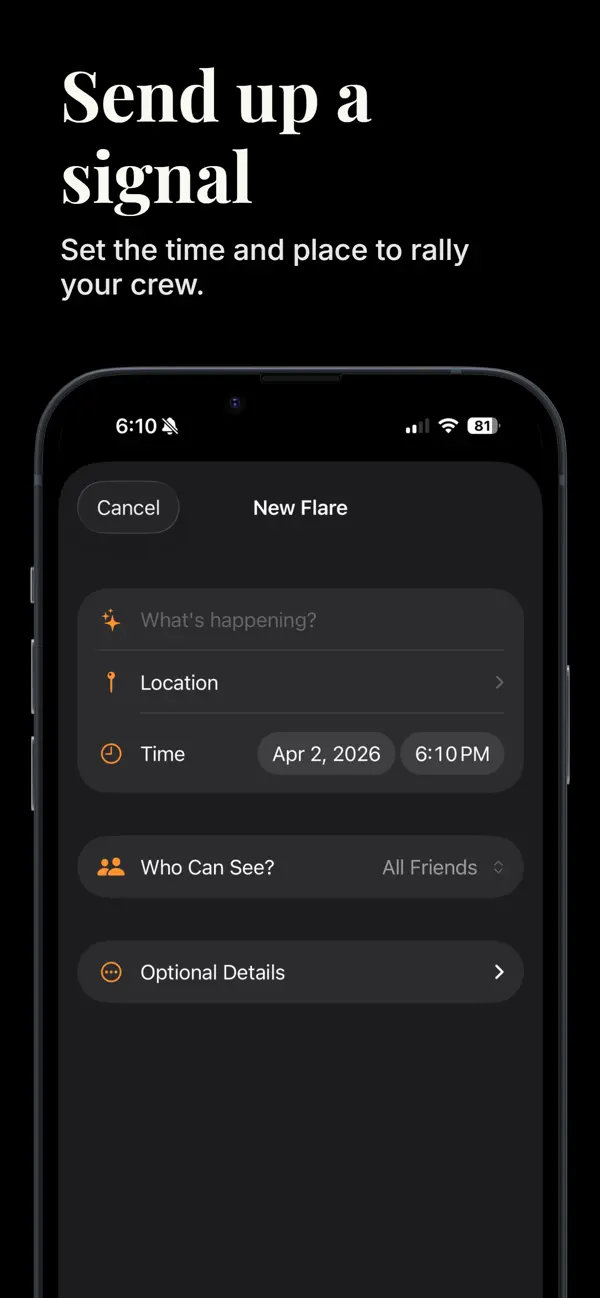
    Add what's happening, a location, and a time. Choose who can see it; photos and an RSVP cap are optional.

    The New Flare form, as shown on the App Store. Select a screenshot to view it larger.
  2. Find a plan nearby

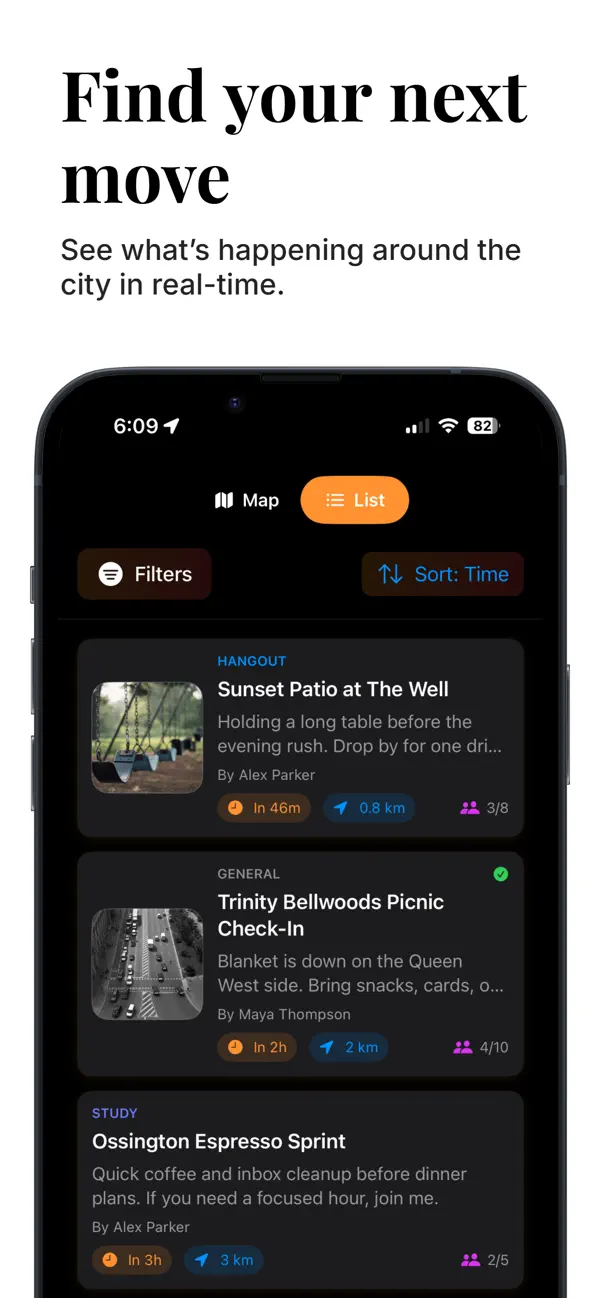
    Switch between map and list. Filter plans and check the time, distance, and RSVP count before opening a flare.

    Nearby plans in List view. Published App Store preview; events are illustrative.
  3. RSVP and see who's in

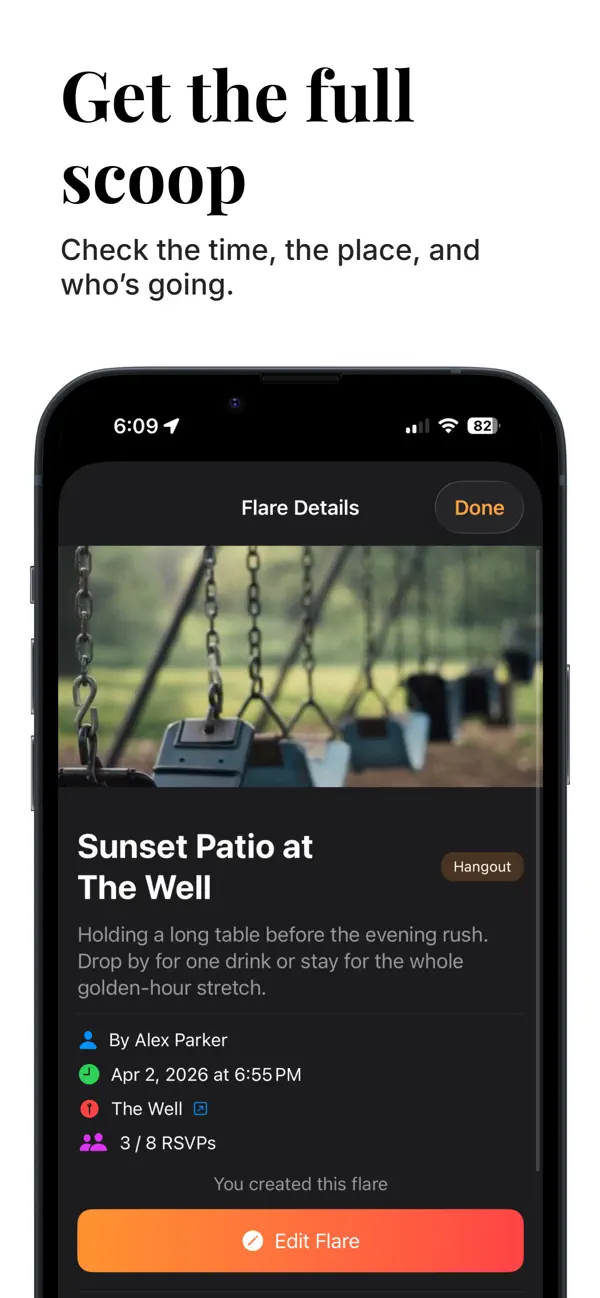
    Guests RSVP to join. Hosts see the time, place, and RSVP count together, as shown here.

    Creator view: 3 of 8 RSVPs. The pictured Edit Flare control is for the host.

A plan around the corner.

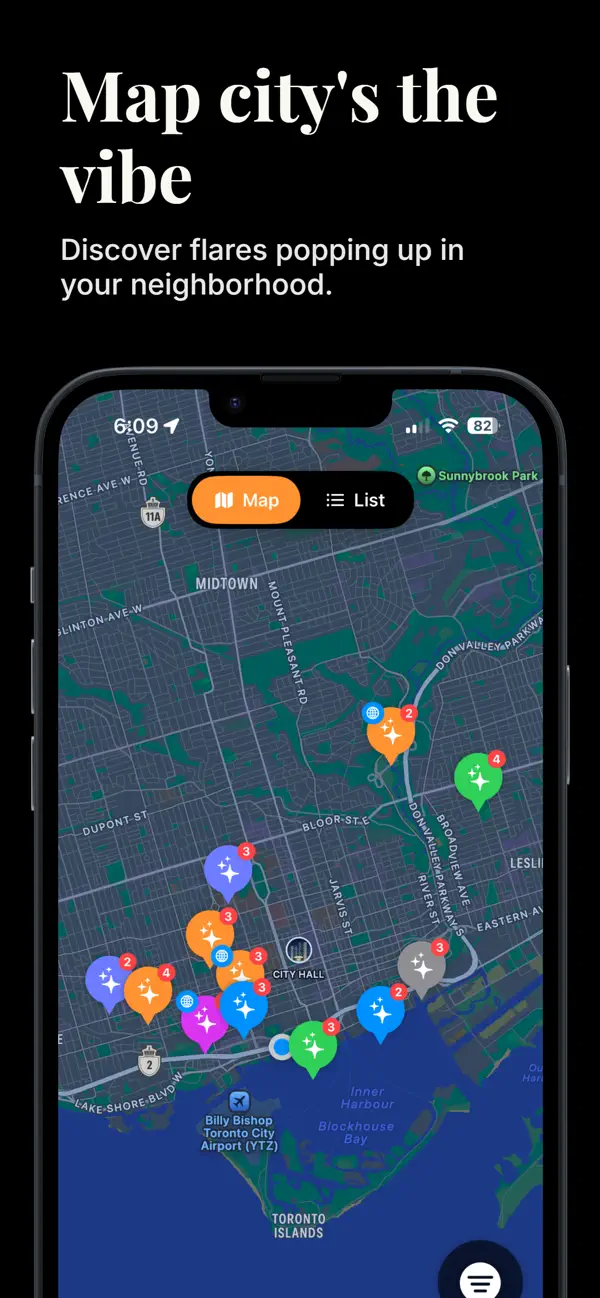
Find public flares nearby. Explore the map, filter by what you’re up for, and open a plan to see the details.

  • Filter by activity, time window, and distance
  • RSVP count badges right on each pin
  • Switch between map and list view in a tap
App Store preview · Example plans

Illustrated conversation

MayaPulling up in 10 — saving a table 🍕
JordanBringing the camera
AlexAlready here 👋
SamRunning late, hold a slice for me

Keep the conversation together.

Bring friends into a group and keep the conversation with the plan. Share comments and photos so everyone stays in the loop.

  • Custom groups with emojis and colors
  • Real-time comments with photo attachments
  • Smart notifications: reminders, RSVPs, mentions
  • Block users from their profiles

Your plans. Your choices.

Clear controls for who sees your plans, how location is used, and how you manage your account.

Location for finding plans

We don't save your device's current location or location history in Flare's database. We store the places you choose for flares. Nearby searches send approximate geographic areas to Firebase.

Events expire

Flares leave the active feed two hours after they start. Expiration does not automatically delete their stored content.

Manage your account

Block users from their profiles or request account deletion in Settings. Contact us at support@shootaflare.com about remaining personal information or other privacy requests.

Questions, answered.

A few things to know before your first flare.

What is Flare?

Flare is an iOS app for making spontaneous, real-life plans. Drop a flare with a place, time, and activity; invite friends or open it up to nearby people; track RSVPs and chat about the meetup — all without starting a new group chat.

Is Flare free?

Yes. Flare is free to download and use on iPhone. Requires iOS 18 or later.

Where is Flare available?

Flare is available worldwide on the App Store. Android is coming soon.

Can people see my exact location?

Flare does not publish your live device location. We store the location you choose for each flare, and users who can access that flare can see it. Your device location helps find nearby events; approximate search areas are sent to Firebase for those searches.

What happens if I tap an invite link without the app installed?

You'll be sent to the App Store to download Flare. After you install and sign in, return to your friend's original message and tap the same invite link again to connect.

What if someone is being a problem?

You can block users from their profiles. For help with another issue, contact support@shootaflare.com.

Make time for a good plan.

Flare is free on iPhone. Your next plan starts here.
Coming soon to Android.

Download Flare